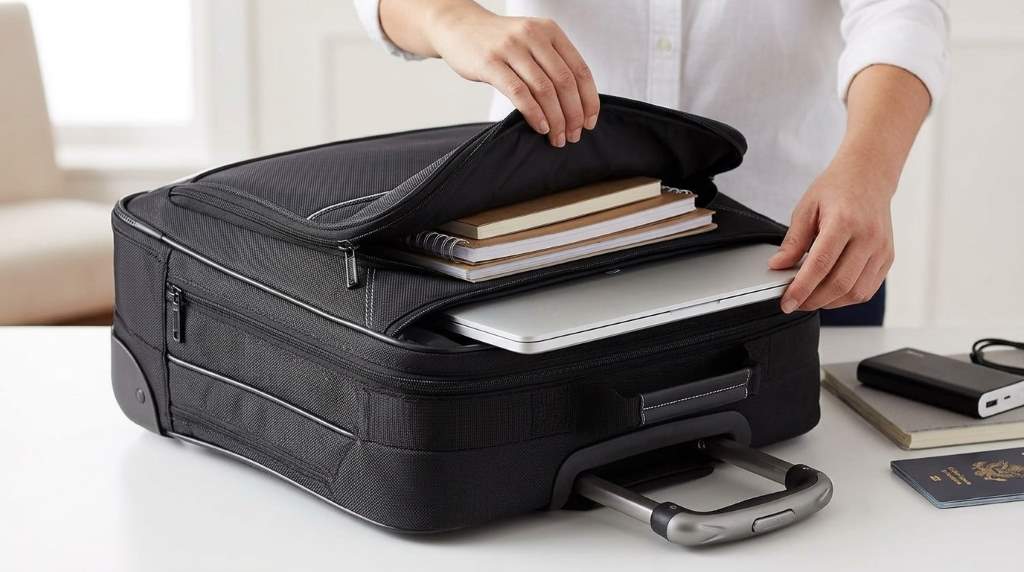
Traveling with an Amazon Basics rolling laptop bag is simple when you organize essentials, balance weight correctly, and follow airport carry on guidelines. Use dedicated compartments for electronics, keep frequently used items accessible, and secure important documents before departure.
A well organized rolling laptop bag improves mobility and reduces travel stress. Many business travelers prefer rolling laptop bags because they minimize shoulder strain during long airport walks and daily commuting.
Frequent travelers often prioritize convenience, organization, and equipment protection. A quality rolling laptop bag addresses all three needs. The Amazon Basics rolling laptop bag remains a popular option because it combines storage capacity with practical travel features.
However, many travelers only use basic packing methods. As a result, they miss opportunities to improve security, efficiency, and comfort. This guide explains how to travel smarter while getting the most value from your rolling laptop bag.
Why Travelers Prefer A Rolling Laptop Bag
Carrying a heavy backpack throughout a trip can create fatigue. In contrast, a rolling laptop bag allows smooth movement across terminals and hotel corridors.
Many professionals also transport laptops, chargers, files, and accessories. Therefore, dedicated compartments help keep everything organized and easy to locate.
- Reduces strain on shoulders and back
- Protects laptops and electronics
- Improves organization during travel
- Offers easy mobility in airports
- Provides quick access to essentials
Prepare Your Bag Before The Trip
Create A Packing Plan
Start by listing everything required for your journey. Then categorize items into electronics, documents, clothing, and personal accessories.
This approach prevents overpacking and creates a logical packing structure. Consequently, you can find important items quickly during transit.
Inspect Wheels And Handle
Check the wheels for smooth movement before departure. Also inspect the telescoping handle to ensure reliable operation.
A quick inspection helps avoid unexpected issues during travel. Moreover, functioning wheels improve mobility across large terminals.
Pack Electronics The Smart Way
Protect Your Laptop
Place your laptop inside the designated padded compartment. Make sure the device fits securely without excessive movement.
Additional padding may help when carrying expensive equipment. As a result, your laptop remains better protected from accidental impacts.
Organize Cables And Chargers
Store cables in separate organizer pouches whenever possible. This method prevents tangled cords and saves time.
Furthermore, organized accessories reduce clutter inside the main compartment. Everything remains visible and easy to access.
Carry Backup Power
Portable power banks help maintain productivity during delays. Keep them in an easily accessible compartment for convenience.
Many airports require separate screening for batteries. Therefore, easy access can speed up security checks.
Use Compartments Efficiently
One common mistake involves placing items randomly throughout the bag. Instead, assign a purpose to each compartment.
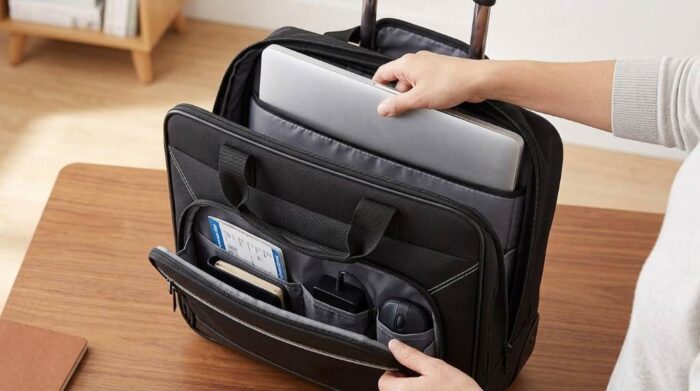
| Compartment | Recommended Items |
|---|---|
| Laptop Section | Laptop and tablet |
| Front Pocket | Passport, tickets, documents |
| Organizer Area | Pens, chargers, cables |
| Main Storage | Clothing and accessories |
Structured packing improves efficiency throughout the journey. Additionally, it reduces the chance of losing small items.
Navigate Airport Security Faster
Security checkpoints often create delays for unprepared travelers. Therefore, arrange important items for quick access.
Keep identification documents in a dedicated pocket. Likewise, position electronics where they can be removed easily if required.
- Place travel documents near the front
- Separate electronics when necessary
- Store liquids according to regulations
- Avoid overstuffing compartments
- Keep valuables within reach
Maximize Comfort During Business Travel
Balance Weight Properly
Heavy items should remain close to the wheel base. This arrangement improves stability while rolling.
Balanced packing also reduces tipping incidents. Consequently, navigating crowded areas becomes much easier.
Keep Work Essentials Accessible
Business travelers frequently need quick access to documents and devices. Therefore, store frequently used items near the top.
This simple adjustment minimizes unnecessary unpacking. It also improves efficiency during meetings and airport waiting periods.
Protect Valuables While Traveling
Travel security requires more than careful packing. Awareness and preparation play equally important roles.
Never leave your rolling laptop bag unattended in public areas. Instead, keep it nearby at all times.
- Use secure zippers
- Store sensitive documents separately
- Back up important files before travel
- Enable device tracking features
- Protect accounts with strong passwords
Handle Different Travel Environments
Airports And Transit Hubs
Large airports require extensive walking between terminals. Fortunately, rolling laptop bags reduce physical strain significantly.
Choose smooth pathways whenever possible. As a result, wheels experience less wear and movement becomes easier.
Hotels And Conference Centers
Professional travelers often move between multiple locations daily. Therefore, efficient organization becomes even more important.
Keep meeting materials grouped together inside one compartment. This setup saves valuable preparation time.
Urban Travel
Busy city environments present unique mobility challenges. However, compact rolling bags remain easier to manage than larger luggage.
Pay attention to uneven sidewalks and crowded areas. Careful navigation protects both equipment and bag components.
Common Mistakes To Avoid
Many travelers unknowingly reduce the effectiveness of their rolling laptop bag. Fortunately, most mistakes are easy to prevent.
- Overloading the bag beyond capacity
- Ignoring wheel maintenance
- Packing electronics without protection
- Storing documents in multiple locations
- Leaving valuables unattended
- Using poor weight distribution
Avoiding these mistakes improves both convenience and equipment safety. Consequently, your travel experience becomes smoother.
Maintenance Tips For Long Term Use
Regular maintenance extends the life of any travel bag. Therefore, inspect components after each trip.
Remove dust from wheels and wipe surfaces regularly. Clean equipment generally performs more reliably.
Store the bag in a dry location between trips. Proper storage helps preserve materials and moving parts.
Travel Checklist Before Leaving Home
A final review prevents last minute problems. Moreover, it helps ensure nothing important gets left behind.
- Laptop fully charged
- Power bank packed
- Travel documents secured
- Chargers organized
- Handle functioning correctly
- Wheels rolling smoothly
- Important files backed up
- Valuables stored safely
Conclusion
Traveling with an Amazon Basics rolling laptop bag becomes easier when you pack strategically, organize compartments carefully, and prioritize accessibility. Proper weight distribution, electronics protection, and security awareness can significantly improve every trip.
Apply these practical techniques before your next journey. With a smarter packing system, you can travel more efficiently, stay organized, and protect your valuable equipment throughout the trip.
FAQs
Can an Amazon Basics rolling laptop bag fit under an airplane seat?
Some models may fit under larger seats, but overhead storage is usually the better option.
Is a rolling laptop bag good for business travel?
Yes, it provides organization, mobility, and protection for work essentials.
How do I protect my laptop during travel?
Use the padded laptop compartment and avoid excessive movement inside the bag.
What should I keep in the front compartment?
Store travel documents, identification, and frequently accessed items there.
How often should I clean the wheels?
Inspect and clean the wheels after each trip for optimal performance.